Free AI Voice Clones for Anyone with ALS
A partnership with ElevenLabs
Our partnership with ElevenLabs gives anyone with ALS living in the US access to a free Pro voice clone license (a $1,200/year value). Then with Bridging Voice’s custom software, easily use your voice clone on any eye tracker or communication device.
Preserving Your Voice & Your Identity
A voice clone is a highly accurate AI recreation of a person’s voice, enabling them to speak, laugh, and maintain their personality, even as ALS changes their speech.
Hear the Difference
AI voice clones are changing the way people with ALS communicate, helping them connect naturally with loved ones and keep their personalities intact, unlike traditional synthesized voices that can feel robotic and emotionless. Hear the difference in this demo from our team member Abby.

Abby
Original

Abby
Synthesized

Abby
Eleven Labs Clone




Getting Started

Make Your ElevenLabs
Account
Get a free license through the Impact Program

Create Your
Voice
Clone
Record or upload audio files

Integrate & Use
Your Voice Clone
Add your voice to any communication device
ElevenLabs Integration Resources
Guides and installers to integrate an ElevenLabs voice into communication devices.

TD Snap (Windows)
 Instruction Guide
TD Snap (iOS)


Grid for iPad


Communicator 5

Speech Assistant for iOS & Android

Mind Express

Predictable for iOS & Android
Frequently Asked Questions
Learn more about our ElevenLabs partnership below
Voice banking is when
someone records a large set of words and sentences while they can still speak clearly. Those recordings are
stored and later used to build a synthetic voice that sounds like them. Voice cloning uses artificial
intelligence (AI) to create a highly accurate digital version of someone’s voice from a much smaller number
of recordings.
There are benefits and drawbacks to both. We recommend that people with ALS do both
voice banking AND create an ElevenLabs Professional Voice Clone when possible. Compare the two methods
below:
| Traditional Voice Banking | Eleven Labs | |
| WiFi / Cellular Connection | Installed SAPI voice on communication devices, doesn’t require connection | Web-based: requires WiFi or cellular data even when integrated into communication devices |
| Character Limit | Unlimited | Limited. See character limits for Pro Plan; View Eleven Labs’ Usage Based Billing FAQ for pricing over limit. |
| Recordings | Services provide a script to read; usually between 50-200 sentences needed | No script provided. must have previous recordings or record something (e.g., conversation, book reading) in a conversational style so clone picks up intonation and style |
| Quality / Style | More monotone, has characteristics of the person’s voice but is a synthesized/ computerized voice | More intonation and conversational style, typically sounds less computerized and more natural. Often indistinguishable from the person’s natural voice |
Follow our simple steps above under “Getting Started”:
Remember: Your ElevenLabs voice requires an internet connection—it will not speak when the device is not connected!
You will need to create an account at www.elevenlabs.io.
Then you will apply for the Impact Program so you can access a free Pro account (a $1,200 / year value!). You will receive an email from Bridging Voice within 3 days confirming your application (if you don’t receive this email, please check your spam folder).
Once your account is approved, you will create your voice clone. After uploading audio, your voice clone will go through a fine-tuning process and you will receive an email when it’s ready (typically takes 2-4 hours).
When your voice clone is ready, you can use your voice immediately online through a web browser or on a phone or tablet using several apps (Predictable, Speech Assistant, Grid for iPad, and more).
Check out ElevenLabs’ guide for creating a professional voice clone and their tips for getting good-quality voice clones—they share lots of great instructions, videos, and suggestions.
- If your natural voice is still strong, you can create recordings with any of the software below directly onto your device (computer or phone):
- Audacity (USB microphone recommended)
- Check out these videos on using Audacity from Boston Children’s Hospital
- AVR-X
- Audacity (USB microphone recommended)
There is no specific text you need to read. You just need to record audio that’s conversational and has the intonation/style of communication you want your ElevenLabs Voice Clone to mimic.
- Some ideas:
- Have a conversation with yourself
- Have a conversation with someone else (but use a headset to avoid recording partner’s voice too)
- Read a book, blogs, or newspaper with expression
You can get free assistance editing and preparing your audio files from the ElevenLabs Impact Voice Lab.
If your voice has deteriorated and you are unable to record new audio with your current voice, you can upload old audio files. Try to find high quality audio that has no background noise or other voices—things like old voicemail messages on family or friends’ phones, VHS tapes, or short videos from your phone or social media are great sources.
If you have video files, the audio will need to be extracted before you can upload it to ElevenLabs. You can get free assistance editing and preparing your audio files from the ElevenLabs Impact Voice Lab.
Note: If you are no longer speaking, or if your voice has changed significantly and doesn’t sound like your recordings any longer, you will have to do Manual Verification through ElevenLabs when creating your voice.
Video files will need to have the audio extracted before uploading to ElevenLabs. Below are some software options for extracting audio from videos:
- Audacity for video files:
- 1. Put video file into Audacity: YouTube Video Instructions
- 2. Export audio file to your computer: Audacity Help Page Instructions
- “Yout” for YouTube videos:
- Find the video on YouTube
- In the URL delete the “ube” from “YouTube” and hit enter
- Opens an audio downloader to save the file to your computer
You can get free assistance editing and preparing your audio files from the ElevenLabs Impact Voice Lab.
If you are no longer speaking, or if your voice has changed significantly and doesn’t sound like your recordings any longer, you will have to do Manual Verification through ElevenLabs when creating your voice. Submit a request to ElevenLabs for assistance.
If you fail your verification attempts but you are still speaking, check out these tips from ElevenLabs.
We recommend creating your Professional Voice Clone as soon as possible. It’s best to make your voice clone while you are still speaking without much change to your voice quality—that way, you can complete the verification process in fewer steps. Changes to your speech can happen quickly and unexpectedly, so it’s best to get your voice clone ready and then save it until you need it.
Yes! You can create an ElevenLabs Voice Clone in many languages—check out the full list here. Additionally, you can clone your voice in one language and then type/translate it into another language if it’s among the supported languages. Visit ElevenLabs to learn more:
It’s understandable to be cautious about AI. In this case, the technology is being used in a very focused, human way—your voice is created from recordings you choose to share, and it’s stored securely with strict privacy protections.
You stay in control of how your voice is used. It’s only used to help you communicate, and it isn’t shared or made public without your permission. For many people with ALS, AI voice cloning simply becomes another tool—like a wheelchair or a speech device—that helps them keep their voice and their sense of identity as the disease progresses.
First, check out ElevenLabs’ voice cloning FAQs at the bottom of this page or explore their detailed help center here—most of your questions have probably been answered there!
Then, if you still have questions about creating your voice clone, it’s best to contact the ElevenLabs support team.
Or, if you’ve successfully created your voice clone but you’re having trouble using it on your communication device, you can contact Bridging Voice for assistance at elevenlabs@bridgingvoice.org.
More About Our Partnership
ElevenLabs is a leader in AI voice technology, and Bridging Voice is proud to have been one of the first nonprofit partners in their impact program. Since 2024, Bridging Voice has helped thousands of pALS get free voice clone licenses and integrate those voices into their communication devices. Browse below for stories and press coverage related to our groundbreaking partnership.
-
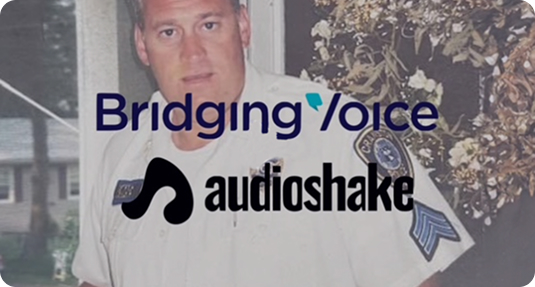
Bridging Voice + AudioShake
We at Bridging Voice were honored to work alongside AudioShake and ElevenLabs to help…
-
ElevenLabs + Bridging Voice Partnership
ElevenLabs’ Impact Program Aims to Empower 1 Million Voices through AI Voice Technology
Need Additional Support?

Issues with Your Voice Clone
Please review all FAQs above carefully. If you still need assistance, contact ElevenLabs support.

Support Outside the US
For ALS clients living outside the US, please contact Richard Cave for any questions related to your voice clone license.